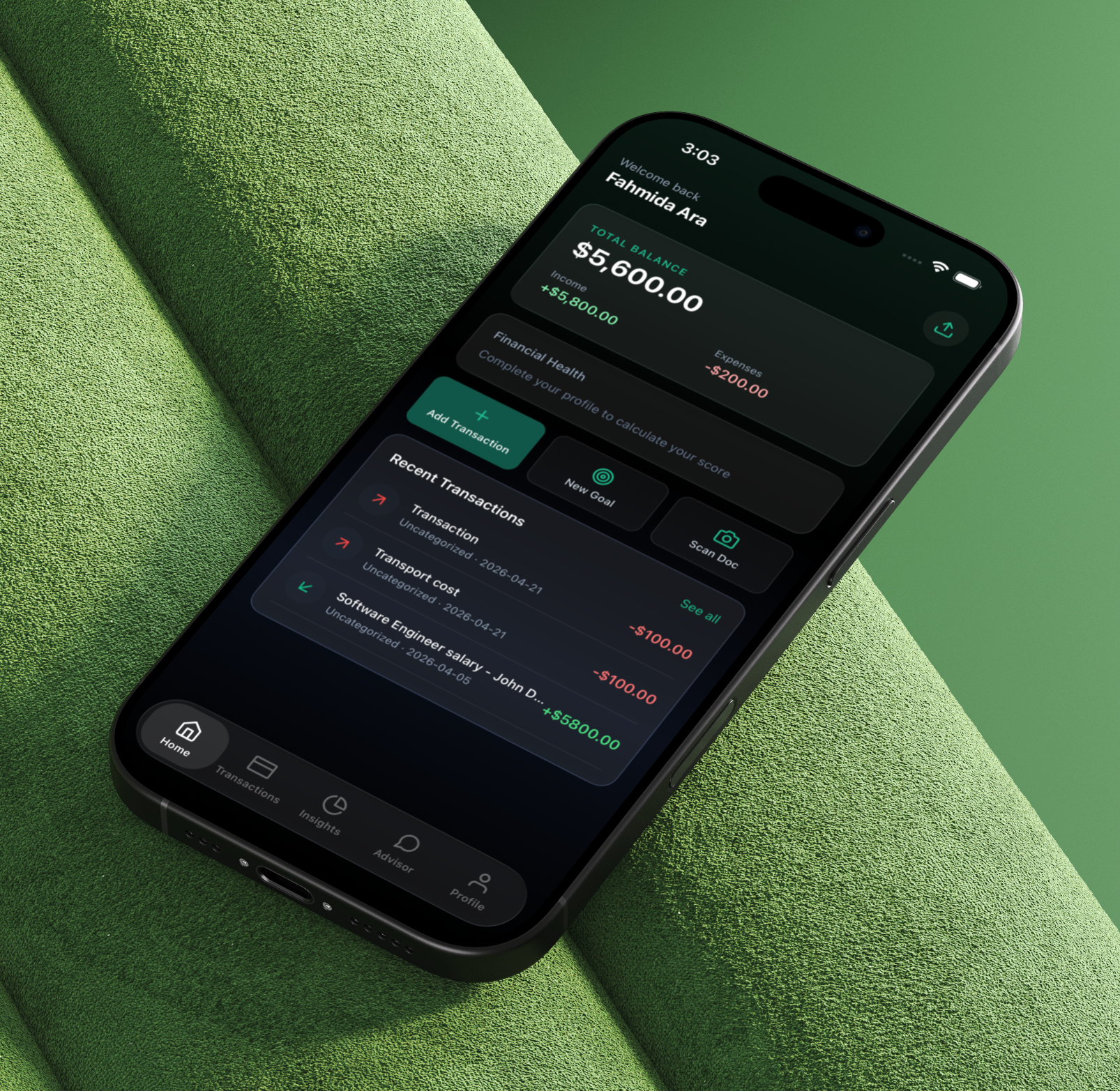
The Problem
Most people have a scattered financial picture — payslips in email, bank statements in PDFs, card transactions across multiple accounts. Budgeting apps ask you to manually enter every transaction. AI chat tools give generic advice disconnected from your actual numbers. The result: the tools that could help most require the most manual effort to set up, and the advice they give is too generic to act on.
The goal for FundPrism was a system that could read your documents — bank statements, salary slips, receipts — and extract structured transaction data without manual entry. Then use that real data to generate a financial health score, category-level spending insights, and an advisor chat that actually knows your income, your goals, and your recent spending.
The Solution
I built FundPrism as a full-stack monorepo: an Expo React Native mobile app, an Express + TypeScript backend API, and a Python FastAPI AI service backed by LangGraph. The AI service runs three LangGraph StateGraph pipelines — one for document parsing, one for insight generation, and a conversational Claude-powered financial advisor. Redis handles token budget enforcement across all three, and BullMQ queues document processing jobs so uploads are non-blocking.
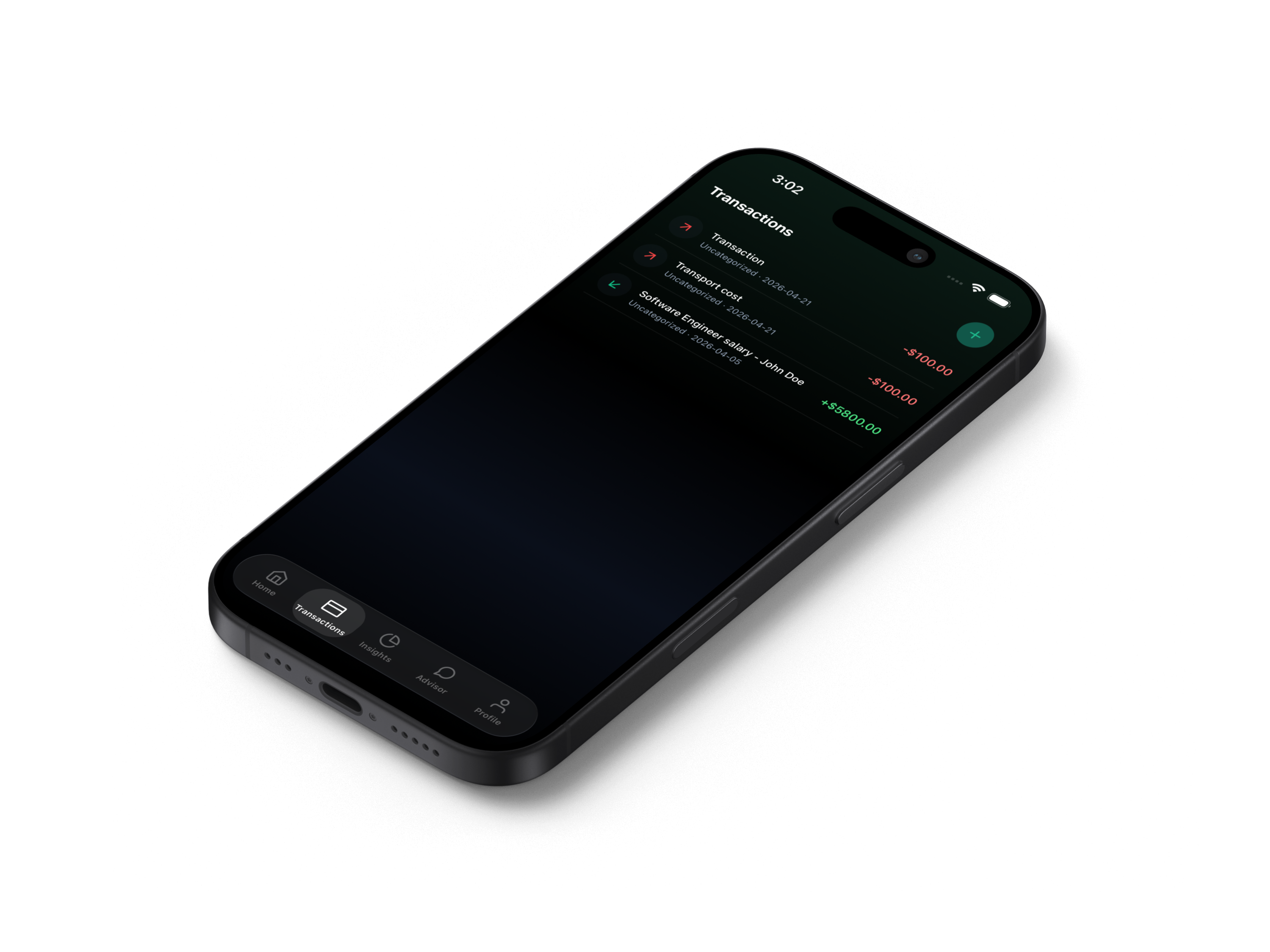 Transaction list — populated from both manual entry and AI-parsed documents; each transaction carries a source flag (
manual or ai_parsed) and category assignment
Document parser, insight generator, and financial health scorer — each a compiled StateGraph with discrete, testable nodes.
Drizzle ORM schema on Supabase PostgreSQL — users, transactions, documents, goals, reminders, chat sessions, messages, categories, and financial scores.
Auth, transactions, documents, goals, reminders, insights, health scores, and AI chat — all Zod-validated at the middleware layer.
Expo mobile → Express API → FastAPI AI service. Each layer communicates over HTTP with structured request/response schemas.
Three-Service Monorepo
FundPrism is a Turborepo monorepo with three distinct runtimes. The Express API serves as the single entry point for the mobile app — it owns auth, persistence, and queuing. The FastAPI AI service is an internal dependency that the API calls for document parsing, insight generation, and chat. Redis sits between them, backing both BullMQ job queues and the AI service's daily token budget counter.
Mobile
API
Supabase
Redis
AI Service
Request
Queue
Parser
API
Created
Expo SDK 52 + Expo Router for file-based navigation. NativeWind for Tailwind-in-React-Native styling. Zustand 5 for auth, transaction, and app state. Deliberately excluded from npm workspaces to prevent Expo module hoisting issues.
Express + TypeScript REST API. Drizzle ORM against Supabase PostgreSQL (pooler mode, port 5432). Zod middleware validates every request. BullMQ worker picks up document jobs and calls the AI service asynchronously.
FastAPI + LangGraph. Three compiled StateGraphs: document parser, insight generator, and a direct Claude chat endpoint. Redis tracks daily token spend with a 48-hour auto-expiry key. Pydantic-settings for config.
Stack Overview
| Layer | Technology | Role |
|---|---|---|
| Mobile | Expo SDK 52, Expo Router 4, React Native 0.83 | File-based tab navigation — dashboard, transactions, insights, advisor, profile |
| Styling | NativeWind 4.2, Tailwind CSS | Tailwind utility classes in React Native via babel + metro transforms |
| State | Zustand 5 | auth.store, transaction.store, app.store — SecureStore token persistence |
| API | Express, TypeScript, Zod | 30+ REST endpoints with Zod-validated request bodies and JWT auth middleware |
| Database | Drizzle ORM, Supabase PostgreSQL | 9-table schema; pooler connection mode avoids IPv6 requirement |
| Queue | BullMQ, Redis 7 (Docker) | Async document processing; worker updates document status pending → processing → done/failed |
| AI Service | FastAPI, LangGraph, Python 3.11 | Document parsing, insight generation, health score calculation |
| LLM | Anthropic Claude API | Transaction extraction from raw text, personalised financial recommendations, advisor chat |
| Monorepo | Turborepo, npm workspaces | Workspace: apps/api + services/*; mobile intentionally excluded |
LangGraph Document Parser
The document parser is the system's core differentiator. Users upload a PDF — bank statement, salary slip, receipt, invoice — and the pipeline extracts every transaction as structured data without any manual input. The graph has three nodes that run sequentially, each with a single responsibility.
Resolves the uploaded file path relative to the API root and reads it with pypdf.PdfReader. Extracts text from each page and joins them. Handles edge cases: scanned-image PDFs return a clear error message rather than failing silently, so the LLM node receives an honest representation of what's available.
Sends the raw extracted text to Claude with a structured prompt that handles any document type — bank statements, payslips, receipts, invoices, credit card statements. Claude returns a JSON array where each element has amount, description, date, category, and type (income/expense). Markdown code fences are stripped before JSON parsing, with graceful fallback to an empty array on malformed output. Input and output token counts are accumulated in the graph state for budget tracking.
Aggregates the parsed transactions — total income, total expenses, transaction count — and produces a human-readable summary string. This becomes the document record's extracted_data payload returned to the API.
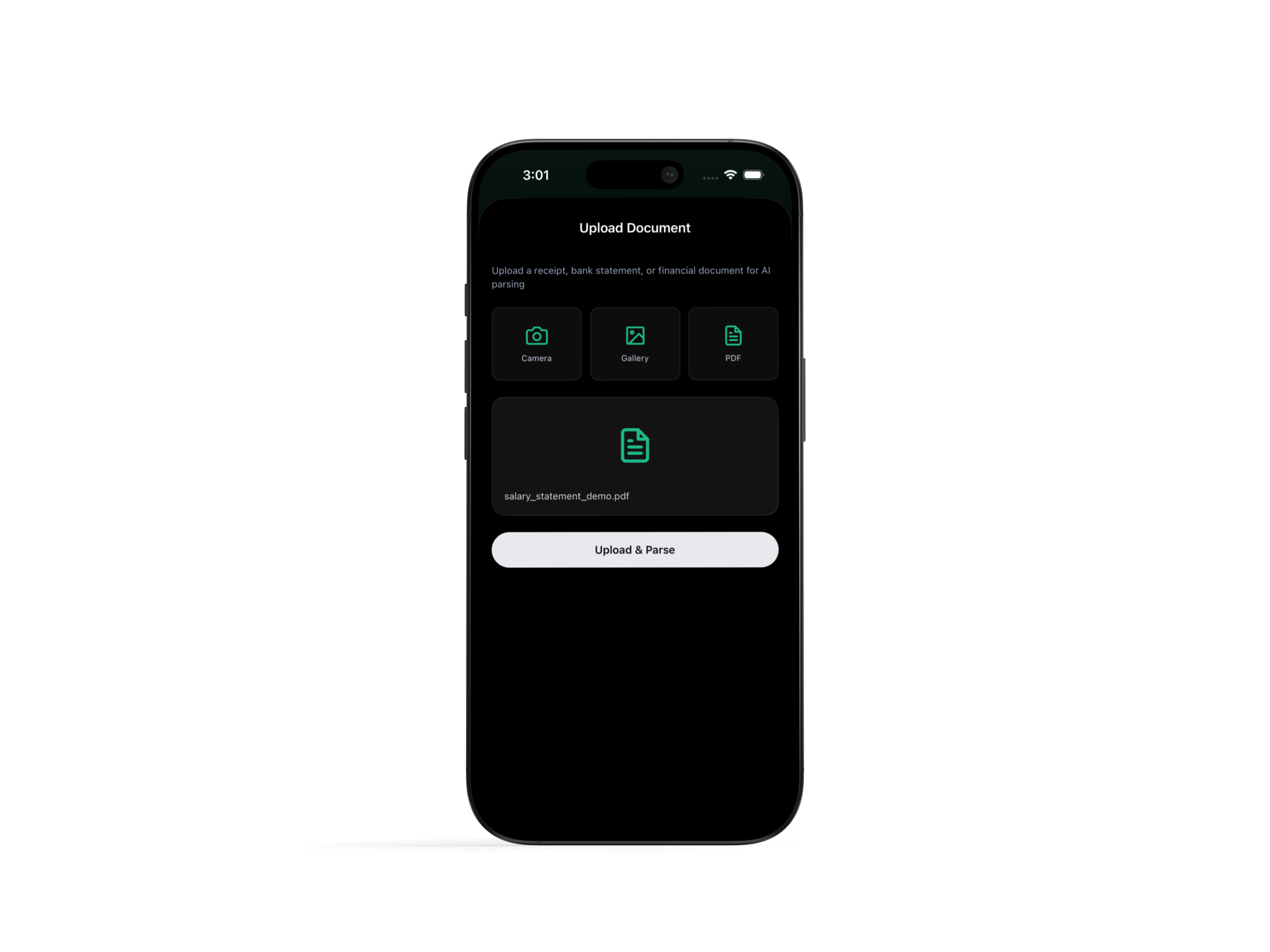 Document upload — user selects a PDF bank statement or payslip; the file is queued for async processing and the screen shows live status (pending → processing → done)
BullMQ Document Processing Queue
Document parsing runs inside a BullMQ worker rather than inline in the upload request handler. The API receives the file, persists the document record with status: "pending", and enqueues a job containing the documentId, fileUrl, and fileType. The response returns immediately — the mobile app can poll or update state from the document list without blocking on LLM latency.
API persists the document to Supabase with status: "pending" and enqueues a BullMQ job. Upload response returns the document ID immediately — no waiting for AI processing.
The BullMQ worker (IORedis-backed, maxRetriesPerRequest: null) picks up the job, transitions the document to status: "processing", and calls the FastAPI AI service's /parse-document endpoint.
On success, updateDocumentStatus writes the extracted transactions into the document's extracted_data JSONB field and marks it done. On any error — network failure, Claude timeout, malformed PDF — the document is marked failed without crashing the worker process.
Insight Generator & Financial Health Score
The insight graph takes a user's recent transactions, active goals, monthly income, and currency as input and produces a 0–100 financial health score alongside Claude-generated recommendations. Like the document parser, it's a compiled LangGraph StateGraph with three sequential nodes.
analyze_spending groups transactions by category and expresses each as a percentage of monthly income. calculate_score derives a 0–100 score from the savings ratio using a bounded heuristic — a score of 0 means all income is spent, 100 is a theoretical maximum. generate_recommendations sends the real numbers — score, spending breakdown by category, active goals — to Claude, which returns 3–5 typed insights: summary, recommendation, tip, warning, or goal. Each insight has a title and a 1–2 sentence actionable description grounded in the user's actual figures.
 Insight screen — financial health score, spending breakdown by category, and Claude-generated recommendations anchored to the user's actual income and transaction history
Context-Aware Financial Advisor Chat
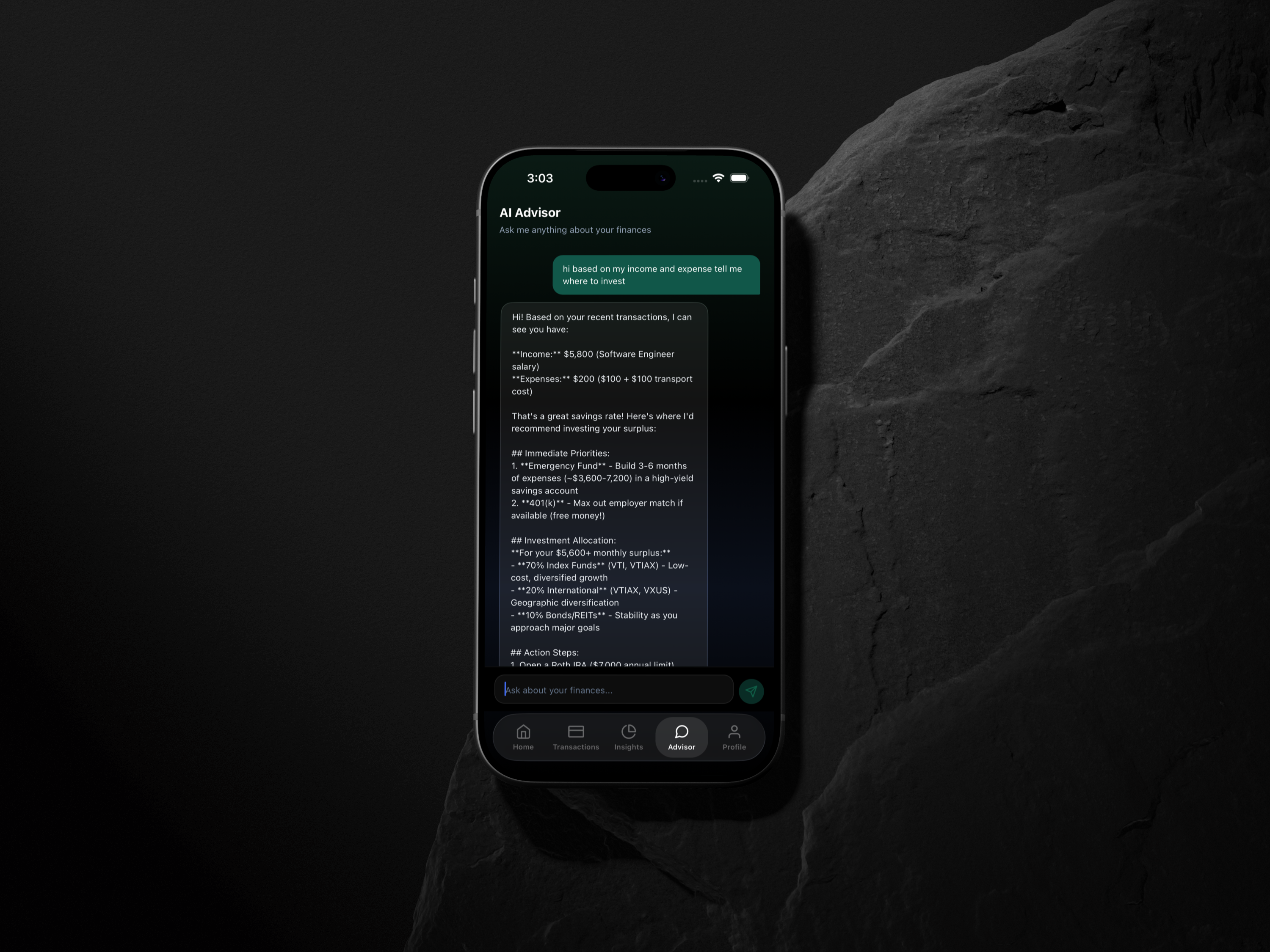
The chat endpoint doesn't just pass messages to Claude — it injects the user's financial context into the system prompt before every conversation. Monthly income, currency, up to 10 recent transactions, and active goals are serialised and prepended, so Claude's responses reference real numbers rather than generic advice. The chat history is persisted across sessions in the chat_sessions and chat_messages tables, so conversations can be resumed.
 Export summary — financial data view with category-level breakdown, usable as context for the advisor chat and external reporting
Redis Token Budget Management
All three AI endpoints — document parser, insight generator, and chat — share a single daily token budget enforced by Redis. Before each request, the service checks a date-keyed counter (token_usage:YYYY-MM-DD) against the configured DAILY_TOKEN_BUDGET ceiling. If exceeded, it returns HTTP 429 before the Claude API is called. After each response, input_tokens + output_tokens from the usage object are atomically incremented. The Redis key expires after 48 hours, so cleanup is automatic — no cron job needed.
Key Engineering Decisions
Expo Excluded from npm Workspaces
The mobile app is intentionally absent from the root package.json workspaces array — which only lists apps/api and services/*. npm workspaces hoist dependencies to the root node_modules; when expo is hoisted, expo/AppEntry.js resolves its ../../App path relative to the monorepo root instead of apps/mobile/, breaking the entry point entirely. Keeping mobile with its own node_modules is the correct fix — not a workaround. It also prevents accidental Expo version entanglement with API or AI service dependencies.
LangGraph StateGraph for Document Parsing, Not a Single Prompt
Wrapping the document pipeline in a LangGraph StateGraph rather than a single function call adds a little ceremony but pays off in debuggability. Each node receives and returns a typed DocumentParserState dict — file_url, raw_text, transactions, summary, input_tokens, output_tokens. Token accumulation threads through state rather than being tracked in an external variable, which means any node can be swapped or extended without touching the others. The graph's sequential edge structure also makes it easy to add a future OCR node between extract_text and parse_with_llm for scanned-image PDFs without refactoring the pipeline.
Supabase Pooler Mode, Not Direct Connection
The database connection uses Supabase's pooler endpoint (aws-0-[region].pooler.supabase.com:5432, session mode) rather than the direct connection string. Supabase's direct connection requires IPv6, which isn't available in many local and CI environments. The pooler handles connection multiplexing server-side, so the API gets PostgreSQL semantics without needing to manage a connection pool size itself. The Drizzle config and Express app both resolve the .env path from the monorepo root using dotenv with an explicit path argument — no cwd-dependent assumptions.
BullMQ for Document Jobs, Not Inline Await
LLM calls for document parsing can take 5–15 seconds depending on document length. Running them inline in the upload request handler would mean the mobile client hangs waiting for Claude to finish, and any network blip during that window loses the result entirely. BullMQ decouples upload receipt from processing: the API responds in milliseconds with the document ID, the worker processes independently, and the mobile app reads status by polling the documents endpoint. The maxRetriesPerRequest: null IORedis config prevents BullMQ from giving up on Redis reconnects, which matters for long-running jobs.
Context Injection Over RAG for Advisor Chat
The financial advisor doesn't use retrieval-augmented generation — it uses direct context injection. The user's income, currency, last 10 transactions, and goals are serialised into the Claude system prompt on every chat request. For a personal finance app with a finite data footprint per user, this is simpler and more reliable than maintaining vector embeddings: no embedding model to maintain, no index to keep fresh, and no retrieval errors from semantic mismatch. The tradeoff is higher token usage per message, which is why the Redis budget gate exists to prevent runaway costs.
Zod-Validated Environment at Startup
Both the Express API and AI service validate their environment variables at startup using Zod schemas. If a required variable is missing or malformed, the process exits immediately with a clear error message rather than failing silently at runtime when the first request hits the missing dependency. This eliminates a class of production bugs that only surface under load — database credentials, Claude API key, Redis URL — and makes deployment failures explicit rather than subtle.
A Working Financial OS
FundPrism runs end-to-end: auth flow, document upload and async parsing, transaction CRUD with category assignment, insight generation with health scoring, and advisor chat — all connected from mobile to API to AI service. The monorepo structure lets each layer evolve independently; adding a new AI capability means adding a LangGraph node and an API endpoint without touching the mobile app.
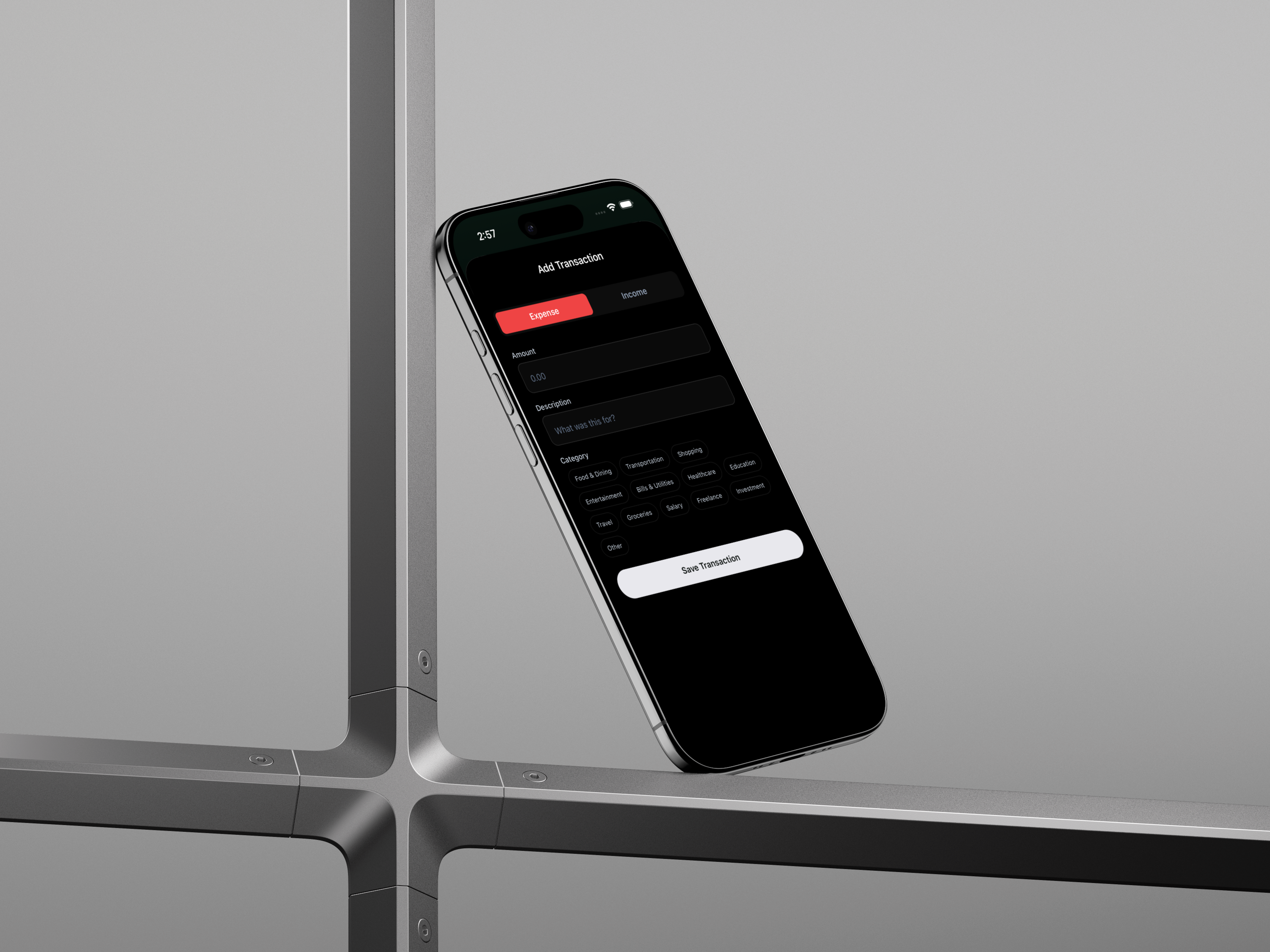 Manual transaction entry — amount, type (income/expense), category, date, and description; source is flagged
 manual to distinguish from AI-parsed entries in analytics
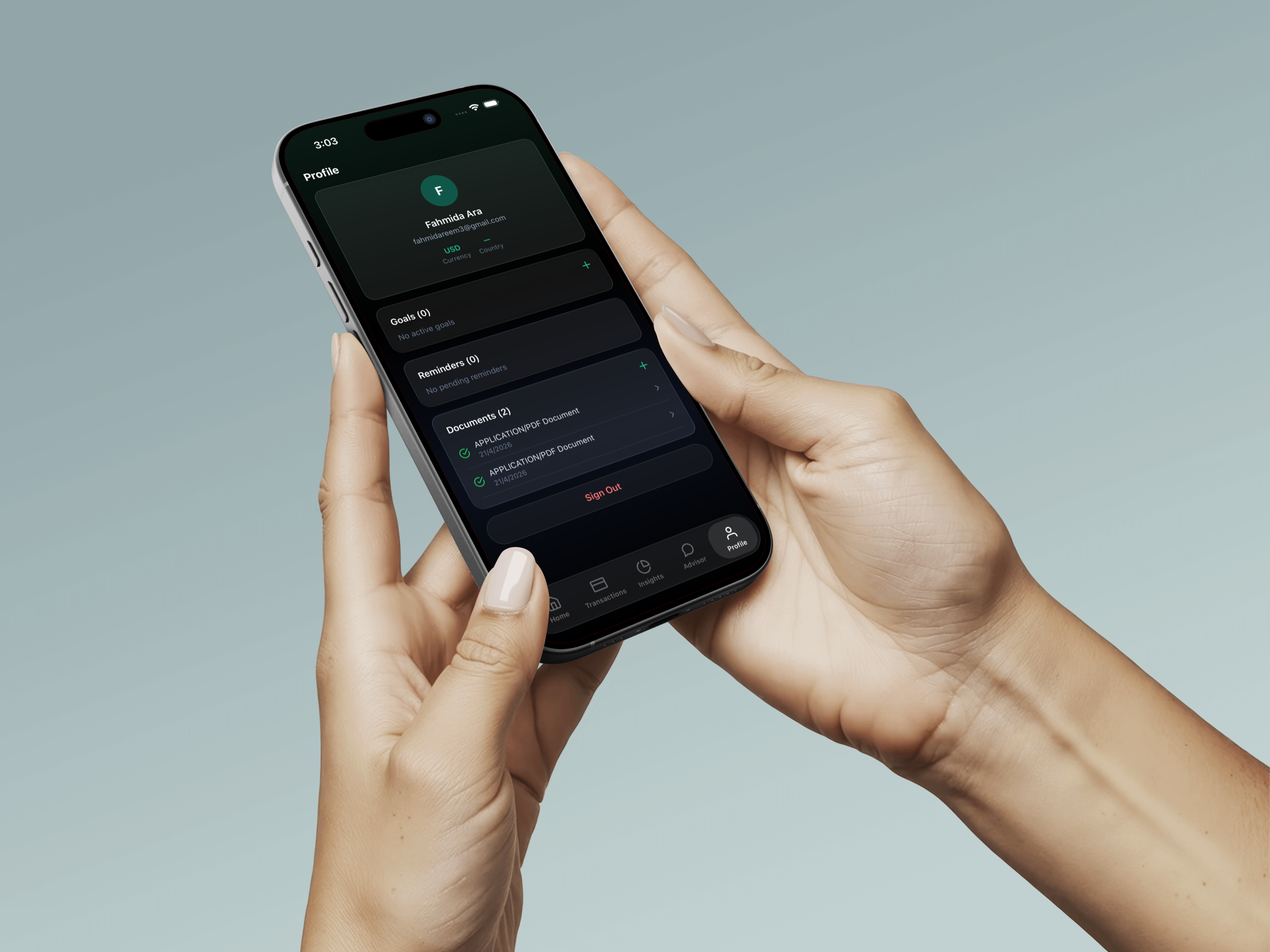 User profile — monthly income and currency stored in the users table; these values drive the insight generator's spending breakdown ratios and the advisor chat's system prompt context
- Three-service Turborepo monorepo — Expo mobile, Express API, FastAPI AI — each independently runnable with a single dev command
- LangGraph document parser extracts transactions from any financial PDF without templates or schema configuration — bank statements, payslips, receipts, invoices
- BullMQ async queue decouples upload from processing; document status transitions (pending → processing → done/failed) are persisted and pollable
- Financial health score derived from savings ratio, paired with 3–5 Claude-generated insights anchored to the user's real category-level spending data
- Context-injected advisor chat gives Claude access to income, recent transactions, and goals on every turn — no generic advice
- Redis token budget gate prevents runaway Claude API costs with per-day caps, atomic increment, and automatic 48-hour key expiry
- 9-table Drizzle ORM schema on Supabase with typed relations — users, transactions, documents, goals, reminders, chat, and financial scores
- Zod-validated environment at API startup; Supabase pooler connection avoids IPv6 dependency in local and CI environments
What I Would Do Differently
The scanned-image PDF path currently returns an error string that reaches the LLM node unchanged — Claude receives a message like [PDF contained no extractable text — may be a scanned image] and produces an empty transaction list. The right fix is an OCR node between extract_text and parse_with_llm using a vision model or a tool like Tesseract. LangGraph's graph structure already accommodates this — it's a node insertion, not a redesign.
The financial health score's heuristic is a linear function of savings ratio with a +30 offset, which means a user spending exactly their full income scores 30/100 rather than 0. The formula is arbitrary rather than grounded in financial research. Replacing it with a multi-factor model — savings rate, goal progress, spending diversity, debt-to-income — would make the score meaningful rather than just directionally correct.